

Salesforce, Salesforce Tips and Tricks
Cybersecurity Awareness Month 2026: A Checklist for IT Directors Evaluating Their MSP
October 06, 2026
Read Now.svg)

May 21, 2026
.svg)
.svg)


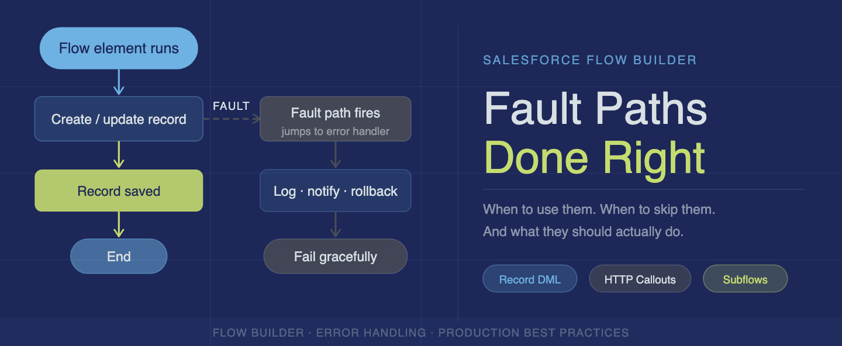
Fault Paths are one of the most overlooked tools in Flow Builder. When used well, they make your automations resilient and your errors visible. When ignored, they turn small hiccups into user-facing outages.
If you've built Salesforce Flows for more than five minutes, this scenario is probably familiar. Everything works perfectly in testing. Then one day a user does something slightly unexpected — a missing record, a validation rule fires, an integration hiccups — and suddenly your Flow fails.
No email. No record update. Just a generic error message and a confused user asking, "Hey… Salesforce won't let me save this."
That's where Fault Paths come in — and where many Flows quietly fall apart when they're not used intentionally. Let's break down what Fault Paths are, how to use them responsibly, and just as importantly, when not to use them.
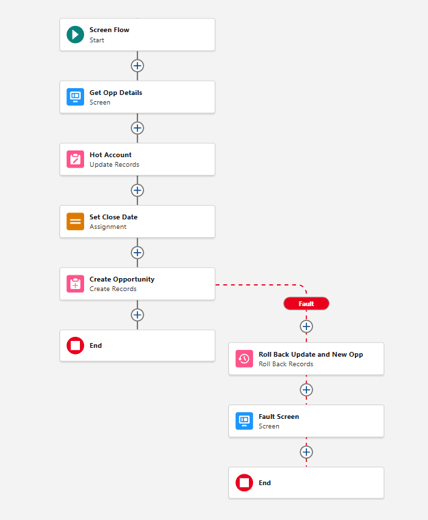
A Fault Path is Flow's built-in error handling mechanism. Whenever an element performs an operation that can fail — creating or updating records, calling a subflow, executing Apex, or making HTTP callouts — Flow gives you a secondary connector called the Fault Path. If the element fails at runtime, Flow stops normal execution and immediately follows that fault connector instead. Think of it as a catch block for your automation.
Without a Fault Path: Flow errors out, Salesforce ends the transaction, any uncommitted changes are rolled back, and your user sees a generic system error. You're left digging through debug logs.
With a Fault Path: You control what happens next. You can log the failure, notify someone, or fail gracefully.
Important clarification: Fault paths do not automatically roll back data. They give you a place to respond to an error. If you want to undo record changes after a failure, you must explicitly use the rollback records element. Any changes successfully committed before the error remain — even when a fault path runs.
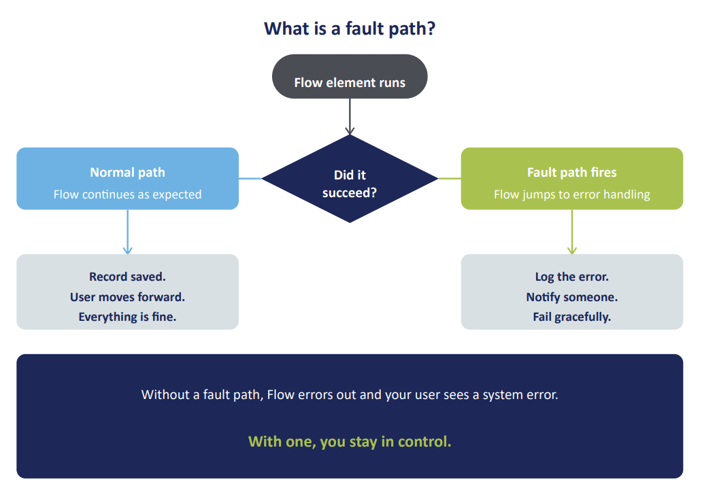
Not every element needs a Fault Path. But every element that can fail in a meaningful way should have one. That distinction matters. Adding Fault Paths everywhere just in case creates noisy, unreadable Flows. Adding them nowhere creates brittle automations that break the moment reality intervenes. Let’s talk about where Fault Paths actually earn their keep.
If it leaves Salesforce or touches another record, it gets a Fault Path. If failure would stop or confuse a user, it gets a Fault Path.
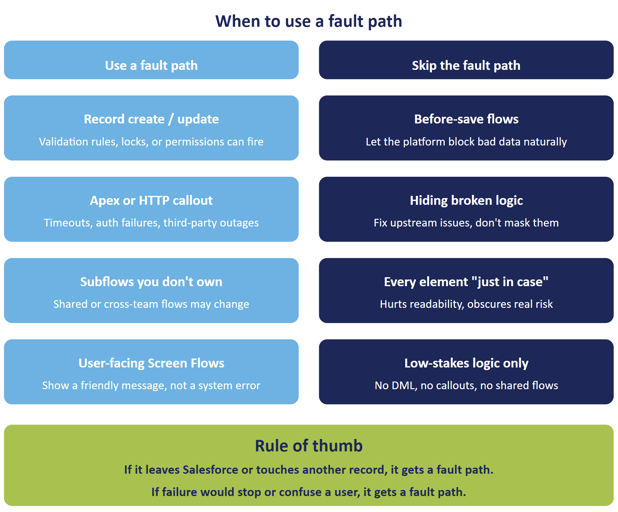
Record operations fail far more often than we like to admit. Validation rules, required fields, duplicate rules, sharing or permission issues, and record locks can all stop a Flow cold. If your Flow updates anything beyond the triggering record, a Fault Path is rarely optional. At minimum, log the failure or surface a meaningful error message:
If your Flow calls Apex or makes an external HTTP request without a Fault Path, you are rolling the dice. Timeout, invalid payload, auth failure, and third-party outage are not edge cases, they happen. A Fault Path lets you:
Rule of thumb: If it leaves Salesforce, it gets a Fault Path.
Subflows are fantastic for reuse, but they are also a trust boundary. If the subflow is shared across teams, maintained by someone else, or doing complex logic inside you should assume it might fail someday.
Handling that failure at the parent Flow level gives you flexibility without duplicating error logic everywhere.
Nothing destroys trust faster than a red system error after a user clicks Finish. Fault Paths in Screen Flows let you:
Even a simple screen that says “Something went wrong saving your changes. Our team has been notified.” is better than leaving users stranded.
Before save flows run fast and operate in a constrained context. Adding Fault Paths here often:
If a before save flow fails due to a validation rule, that is often expected behavior, not something you want to intercept. Let the platform block bad data early unless you have a compelling reason not to.
Adding Fault Paths to every single element:
Use them where failure has business impact, not theoretical possibility.
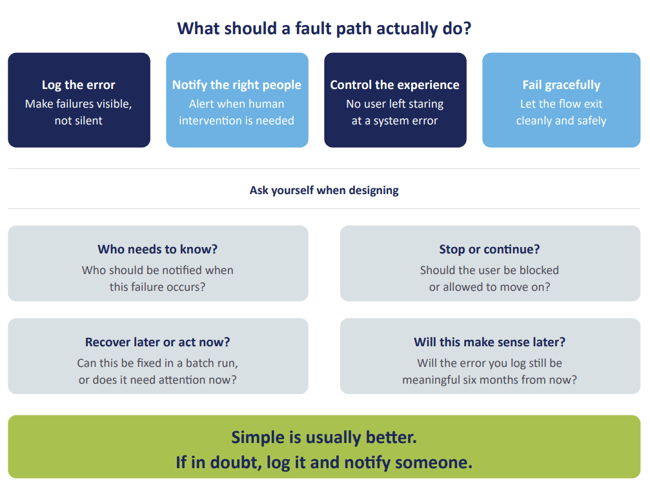
A Fault Path does not need to be complicated. In fact, simple is usually better. At a minimum, Fault Paths should log the error so failures are visible instead of silent. They should notify the right people when intervention is needed, control the user experience so users are not left staring at a system error, and allow the Flow to fail gracefully when something goes wrong.
When designing Fault Paths, it helps to think about how the Flow will be supported in the real world. Ask yourself who needs to know that this failure occurred and whether the user should be stopped or allowed to continue. Consider whether the failure is something that can be recovered later or requires immediate action. Finally, think about future you and whether the error information you capture will still make sense six months from now.
Fault Paths aren't flashy. They don't add features. They won't impress anyone in a demo.
But they are one of the clearest signs of a mature, production-ready Flow. They're the difference between a system that silently fails at 2 a.m. and one that tells you exactly what happened and why. They turn:
If you're serious about building Flows that last, Fault Paths aren't optional — they're part of the design. If your Flow can potentially fail, build it to fail gracefully. Your future self, your users, and whoever ends up supporting this Flow six months from now will all be grateful.

A Fault Path is Salesforce Flow's built-in error handling mechanism. When an element that can fail (such as a record create/update, Apex action, HTTP callout, or subflow) encounters an error at runtime, Flow stops normal execution and follows the Fault Path connector instead. This gives you control over what happens next, whether that's logging the failure, notifying an admin, or displaying a user-friendly error message. Without a Fault Path, the transaction ends, uncommitted changes are rolled back, and users see a generic system error.
No, Fault Paths do not automatically roll back data. They give you a place to respond to an error, but any record changes that were successfully committed before the failure remain in place. If you need to undo record changes after an error, you must explicitly use the Rollback Records element in your Flow. This is one of the most important distinctions to understand when designing error handling in Salesforce Flows.
At a minimum, a Fault Path should make failures visible and actionable rather than silent. That typically means logging the error to a custom object so there's a record of what went wrong, notifying the right person (an admin, a team channel) when intervention is needed, and controlling what the user sees so they're not left staring at a generic system error. In a Screen Flow especially, even a simple message explaining that something went wrong and that the team has been notified is far better than a red error screen. When designing a Fault Path, it helps to ask who needs to know this happened, whether the user can continue or needs to stop, and whether the error details you're capturing will still make sense to whoever is supporting this Flow six months from now.

Salesforce, Salesforce Tips and Tricks
October 06, 2026
Read Now

Salesforce, Salesforce Tips and Tricks
October 01, 2026
Read Now

Salesforce, Salesforce Tips and Tricks
September 29, 2026
Read Now